
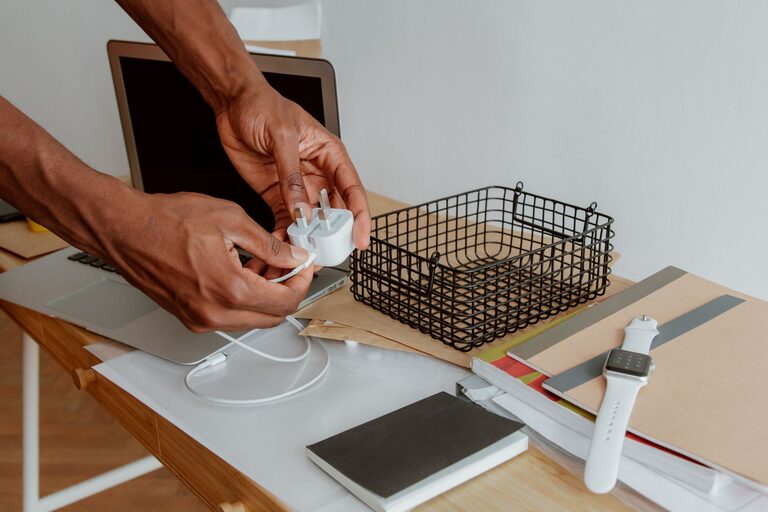
Why Cable Organization Matters
Cables and chargers have a habit of spreading across desks, drawers, nightstands, and countertops. When they are mixed together, it becomes difficult to find the right one, and tangled cords can take up more space than necessary.
A simple organization system can make your space look cleaner and help you use your devices more efficiently. The goal is not to hide every cable. Instead, it is to keep frequently used items easy to reach while storing extra cables in a clear, consistent way.
Start by Gathering Everything
Before organizing, collect all of your cables, chargers, adapters, and related accessories in one place. Check common storage areas, including:
– Desk drawers
– Kitchen counters
– Bedside tables
– Travel bags
– Entertainment centers
– Office cabinets
– Boxes and storage bins
Place everything on a table or another open surface. Seeing the full collection makes it easier to identify duplicates, missing parts, and items you no longer need.
Separate cables from chargers and adapters first. For example, place USB cables in one group, laptop chargers in another, and audio or video cables in a separate group.
Sort Cables by Purpose
Sorting cables by their purpose is often more useful than sorting them only by appearance. Create groups such as:
– Phone and tablet cables
– Computer and laptop chargers
– Audio cables
– Video cables
– Camera and gaming cables
– Travel cables
– Backup or rarely used cables
If you have many cables of the same type, divide them further by length. Short cables work well in travel bags, while longer ones may be better for desks or entertainment areas.
Avoid keeping cables in one large container. A box filled with mixed cords may be compact, but it usually creates more work when you need to find something.
Remove Items You No Longer Use
Once everything is sorted, look for cables that are damaged, outdated, or no longer connected to a device you own. Common examples include:
– Frayed wires
– Bent or loose connectors
– Chargers that no longer work
– Cables for devices you no longer have
– Duplicate cables that are never used
– Unknown cables with no clear purpose
Do not use cables with exposed wires, melted sections, or damaged plugs. Set them aside for proper electronic recycling according to local guidelines.
For cables that are still useful but rarely needed, create a separate backup group. This keeps them available without allowing them to take over your everyday storage.
Label Cables Clearly
Labels are one of the easiest ways to prevent confusion. A cable may look familiar, but small differences in connector type, length, or charging speed can make it difficult to identify later.
You can label cables using:
– Small adhesive labels
– Masking tape and a permanent marker
– Colored cable tags
– Reusable label bands
– Writable heat shrink labels
Place the label near one end of the cable so it remains visible when the cable is stored or plugged in. Use short descriptions such as “phone,” “monitor,” “camera,” or “travel.”
For chargers with removable cables, label both the power adapter and the matching cable. This makes it easier to keep the correct pieces together.
Use a Consistent Coiling Method
Proper coiling helps prevent tangles and reduces strain on the cable. Wrap each cable into a loose loop without bending it sharply. Avoid pulling the cord tightly around your hand or folding it repeatedly in the same spot.
Secure the coil with one of these options:
– Hook and loop straps
– Reusable silicone ties
– Reusable twist ties
– Cable clips
– Small drawstring bags
Do not use permanent adhesive tape directly on cables. It can leave residue and may make the cable difficult to handle later.
For thicker cords, use larger straps and wider loops. For thin charging cables, use a smaller tie and avoid creating tight bends near the connector.
Create a Convenient Charging Station
A dedicated charging station can keep daily-use cables under control. Choose a location near an outlet, such as a desk, kitchen counter, entry table, or nightstand.
A simple charging station may include:
– A power strip with enough space between outlets
– A small box or tray
– Cable clips along the edge of the surface
– A stand for phones or tablets
– Labels for each charging cable
Keep the power strip in a position where it is easy to access, rather than burying it under furniture or a pile of objects. Arrange cables according to where they are used. For example, place a phone cable closest to the front of the station and less frequently used cables farther back.
Cable clips can prevent charging cords from sliding behind a desk or falling to the floor. Attach them to the side or back of a surface, then guide each cable through its own clip.
Organize a Desk Setup
Desks often collect several cables for computers, monitors, lamps, speakers, and other accessories. Start by deciding which items should remain connected at all times.
Run cables along the back or underside of the desk instead of letting them cross the work surface. You can use:
– Adhesive cable clips
– Under desk cable trays
– Cable sleeves
– Reusable straps
– Small storage boxes
Keep extra cable length bundled loosely under the desk. Leave enough slack to move equipment without pulling on the connectors.
If several cables run in the same direction, place them inside a cable sleeve. This creates a cleaner appearance and makes it easier to move the whole group when needed.
Store Extra Cables in Separate Containers
For cables that are not used every day, choose storage containers that make the contents easy to see. Clear boxes, fabric organizers, and small labeled bins are useful options.
You can assign one container to each category, such as:
– Everyday cables
– Computer accessories
– Audio and video cables
– Travel equipment
– Backup chargers
Use dividers or small pouches inside larger containers so cables do not become tangled. Keep adapters and power bricks in a separate section from thin cables, since their weight can crush or bend other items.
Store containers in a dry location away from extreme heat and moisture. Avoid placing heavy objects on top of coiled cables or chargers.
Prepare a Travel Cable Kit
A small travel kit saves time and prevents you from searching through your main cable collection before every trip. Choose a compact pouch with separate compartments and keep it stocked with the items you use most often.
A basic kit might include:
– One main charging cable
– A compatible power adapter
– A spare cable
– A compact power strip
– A USB adapter
– A few reusable cable ties
Review the kit after each trip. Return unused items to their regular storage location and replace anything that is missing or damaged.
Maintain the System Regularly
Cable organization works best when it becomes a small routine. Every few months, check whether your storage system still matches the devices you use.
Take a few minutes to:
- Remove cables that no longer work.
- Return loose items to their labeled containers.
- Check for fraying or damaged connectors.
- Untangle cables before storing them.
- Update labels when devices change.
- Keep frequently used chargers in their assigned locations.
A consistent system does not need to be complicated. When every cable has a clear purpose and a designated place, keeping the area tidy becomes much easier. Start with one drawer, desk, or charging station, then expand the system as needed.